

- OPM Events
- Templates
- Exhibitions
Exhibitions & Trade Shows
Sell stalls, welcome visitors and show exhibitors what the event gave them.
Exhibitor onboarding, an interactive floor plan, visitor badges and an exhibitor desk for expos, job fairs and trade shows.
7 templates · free plan available
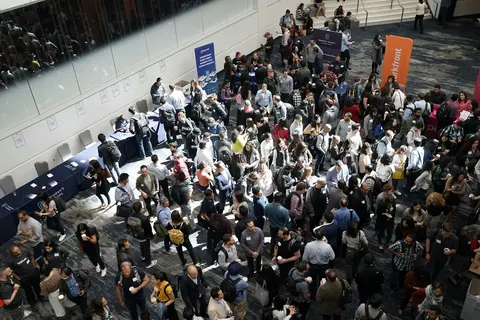
Starting look
Startup Spark
The problem, and the fix
Stall allocation, exhibitor paperwork and visitor tracking happen in different tools.
Built for: Expo organisers, chambers of commerce, education and property fairs.
Without a template
- Exhibitors ask which stalls are free and wait days for an answer.
- Passes, invoices and agreements are chased one by one.
- Exhibitors want to know what the show gave them, and you have little to show.
With a template
- A floor plan exhibitors can use. Draw the hall, price the stalls and let exhibitors pick a free stall, hold it, and request or book it themselves.
- Exhibitor desk. Agreements, checklists, passes and meetings live in one portal, so you stop chasing by email.
- Results, not just footfall. Visitors register for a badge and check in at the door. Exhibitors see how the show went for them afterwards.
A typical event
How it looks in practice.
A three-day B2B expo, 120 stalls
The organiser draws the hall and sets stall types. Exhibitors apply, get approved and choose their stall on the map. Visitors register for a badge and check in at the door. After the show, each exhibitor reviews their results from the desk.
An illustrative example, not a customer story.
- Stalls are chosen from the map, not by email
- Exhibitors handle their own paperwork
- Exhibitors leave with results, not just footfall
7 templates
Exhibitions & Trade Shows templates
Choose the one closest to your event. Each switches on the tools that kind of event needs, and you can change any of them.
Switched on in every template here
- Exhibitors
- Booth bookings
- Floor map
- Badges
- Registration
B2B expo
In personExhibitor onboarding, an interactive floor plan and trade-visitor badges for a business-to-business show.
Consumer exhibition
In personPublic tickets for visitors, plus stalls for exhibitors. For shows aimed at the general public.
Adds: registration and ticketing
Job fair
In personEmployers book stalls, candidates register and apply, and the day runs on QR check-in.
Adds: applications
Education fair
In personColleges and institutes take stalls while students and parents register for a pass.
Startup expo
In personFounders exhibit and investors visit, with a floor plan and meeting requests.
Property exhibition
In personDevelopers exhibit and buyers register, with a stall map and visitor interest captured.
Franchise expo
In personBrands exhibit to prospective franchisees, who register with their budget and interests.
Set up for you
What you start with.
Ready on day one, and all of it editable.
Event website
Starting look
Startup Spark
- Event statistics
- Highlights
- Feature cards
- Photo gallery
- Sponsors and partners
- Tickets
- Call to action
- FAQs
- Venue and directions
Visitor / Delegate registration
Name and email, plus questions made for this event:
- Company
- Industry
- Designation
- Interested product categories
- Buying intent
Tickets and tools
Starting tickets: Visitor pass, Delegate.
- Exhibitors
- Booth bookings
- Floor map
- Badges
- Registration
Questions
Exhibitions: common questions.
Can exhibitors choose their own stall?
Yes. You decide who may pick: you assign, exhibitors request, or exhibitors book instantly. A public read-only floor plan can be shared too.
How do exhibitors pay for stalls?
You choose per event: no payment step, an invoice, or an online deposit. Card payment depends on the payment account connected to your organisation.
Can I change this template after I choose it?
Yes. The look, website sections, registration questions, tickets and modules can all be changed. A template saves you the first day of set-up and never locks you in.
Other event types
Running something different?
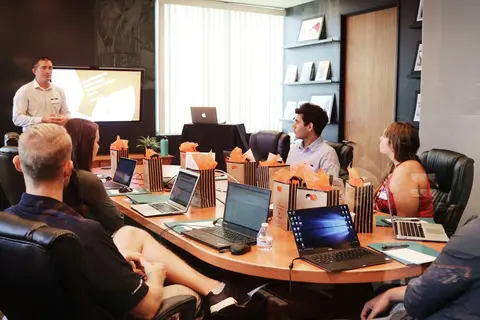
Corporate Meetings & Events
RSVPs, meal choices and guest lists are scattered across emails and forwards.
See how
College & University Events
Hundreds of entries, many events, and a committee that changes every year.
See how
Seminars & Expert Talks
A good speaker deserves a full room, and a simple way for people to sign up.
See how
Ready to set up your event?
Pick a template, add your details and share the link. The free plan is enough to start.